
Marketing automation is software that sends the right email to the right person at the right time — without you clicking send every time. This guide explains how it works, the five workflows beginners should set up first, what the major platforms charge as of September 2026, and the mistakes that trip up newcomers.
In this guide
- What marketing automation actually is
- The building blocks: triggers, conditions, and actions
- The 5 beginner workflows worth setting up first
- What automation costs on the major platforms in 2026
- Five beginner mistakes that quietly kill results
- Key takeaways
- Frequently asked questions
- Conclusion
What marketing automation actually is
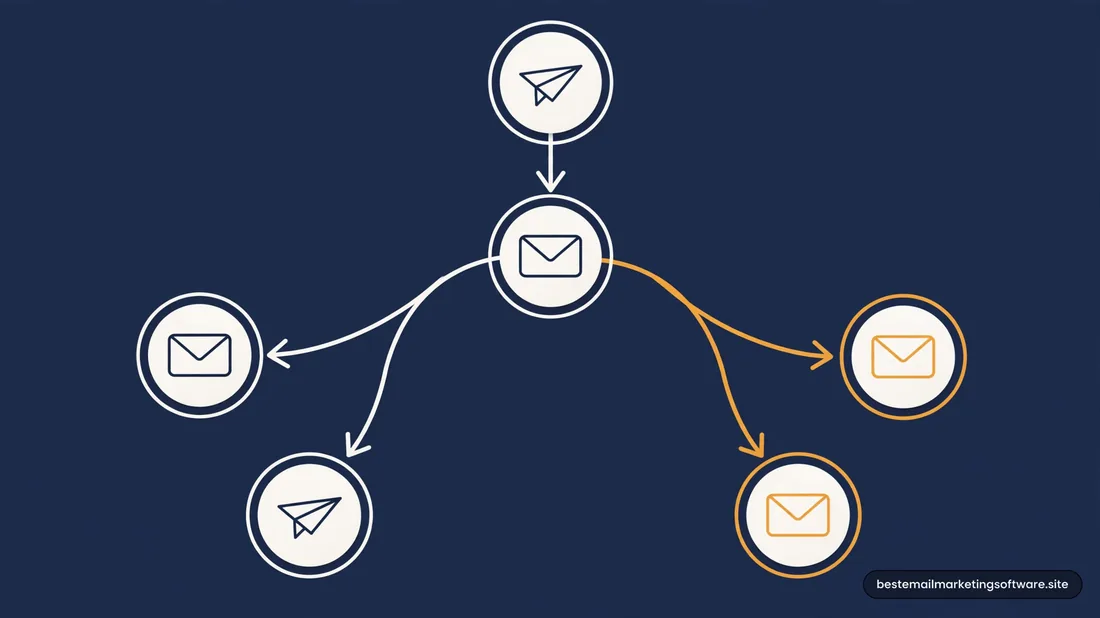
At its core, marketing automation is a set of rules. You define a trigger (“someone joins my list”), optionally add conditions (“but only if they haven’t bought yet”), and specify what happens next (“send this email, wait two days, send the next one”). The platform then runs those rules around the clock, whether you are at your desk or not.
The important distinction beginners miss is between campaigns and automations. A campaign is a one-off broadcast: you write it, you pick an audience, you hit send, and it is over. An automation is a workflow that lives on: it waits for the right moment for each individual subscriber and fires on its own. Both matter, but automation is what makes email scale — one workflow can nurture ten thousand subscribers as easily as ten.
That said, automation is not magic. It does not write good emails for you, choose your audience for you, or fix a list full of people who never wanted to hear from you. It multiplies whatever you feed it. Feed it a clear welcome offer and a clean list, and it becomes your best salesperson. Feed it generic blasts to cold contacts, and it multiplies unsubscribes and spam complaints. Before you touch automation, it helps to understand how email deliverability actually works, because automation that lands in spam folders is automation wasted.
The building blocks: triggers, conditions, and actions
Every automation tool — from a $9/month starter plan to an enterprise platform — is built from the same three building blocks. Learning the vocabulary makes every platform’s builder feel familiar.
Triggers are the events that start a workflow. Common ones: a contact joins a list, submits a form, buys a product, abandons a cart, clicks a specific link, or simply hits a date (like a birthday or a subscription renewal). The number of available triggers is one of the main things that separates basic tools from advanced ones: ActiveCampaign, for example, offers 135+ triggers and actions for building automation sequences, plus more than 1,000 pre-built automation recipes you can start from (source: Venture Harbour’s ActiveCampaign review, 2026).
Conditions are the “if/else” checkpoints along the way. “If the subscriber opened email 1, send them email 2A; if not, send a reminder version instead.” Conditions turn a linear sequence of emails into a branching journey that adapts to each person’s behavior. This is also where free and cheap plans draw their limits — advanced branching is typically reserved for mid-tier and above.
Actions are what the workflow actually does at each step: send an email, wait a set time, add or remove a tag, update a contact field, send an SMS, notify your sales team, or move a deal in a CRM. Waiting steps matter more than they look — spacing emails out is what makes automation feel like a conversation instead of a firehose.
One more concept: segments and tags. Automations rarely run on raw lists. Tags (labels like “downloaded-checklist” or “attended-webinar”) and segments (saved filters like “opened at least 3 emails in 60 days”) decide who enters a workflow. Good automation is 30% workflow design and 70% knowing exactly who should be in it.
The 5 beginner workflows worth setting up first
You do not need thirty automations. You need five, done well. These are the workflows that produce nearly all of the return for a beginner, in roughly the order to build them.
1. The welcome series. Triggered when someone joins your list. Three to five emails over one to two weeks: say hello, deliver whatever you promised at signup, tell your story, set expectations, and make a first offer. Welcome emails consistently get the highest engagement of any automation because the subscriber just raised their hand — meet them at the door while they still remember you.
2. The abandoned cart sequence. For ecommerce: triggered when a shopper leaves items in their cart without buying. One gentle reminder (often 1–3 hours later), a follow-up with social proof or answers to common objections, and optionally a final nudge with a small incentive. This is the single highest-revenue-per-email automation in ecommerce, which is why nearly every platform supports it even on lower tiers — Brevo vs ActiveCampaign both include abandoned cart automations across all plans.
3. The post-purchase sequence. Triggered by a purchase. A thank-you email, usage tips or onboarding content, a request for a review after the product has had time to arrive, and cross-sell suggestions based on what they bought. Most businesses automate the sale and then go silent — this workflow is where repeat purchases are born.
4. The re-engagement sequence. Triggered when a subscriber goes quiet for, say, 90–180 days. A short series asking “still want to hear from us?” with an easy one-click way to stay, followed by removal of non-responders. This one feels counterintuitive — you are removing people — but it protects your deliverability and, on contact-billed platforms, your wallet. It pairs naturally with a proper email list cleaning routine.
5. The lead-nurture sequence. Triggered when someone downloads a resource or signs up for something free. Educational content over several weeks that builds trust before any sales pitch. This is the workflow most beginners skip and then wonder why their “send a discount to everyone” emails underperform. Nurture first, sell second.
Start with the welcome series. Add the abandoned cart if you sell online. Layer in the rest once those two are running and you have real data to work with.
What automation costs on the major platforms in 2026
Automation pricing is where the “simple” pricing pages get complicated, because automation features are one of the main things platforms gate behind higher tiers. Here is the honest picture as of September 2026 — and, as always, confirm the current pricing page before you buy.
Brevo includes marketing automation workflows from its Standard plan ($18/month for 5,000 emails/month), along with A/B testing and send-time optimization (source: Automation Atlas, Brevo Pricing 2026). The cheaper Starter plan ($9/month) limits automation contact reach — plan accordingly if your list is already large.
ActiveCampaign is the automation heavyweight and prices like one. Its Starter plan ($15/month for 1,000 contacts on annual billing, $19 monthly) allows basic automation with limited actions, while the Plus plan ($49/month annual, $59 monthly) unlocks unlimited automation actions, landing pages, and stronger AI tools (source: Venture Harbour’s ActiveCampaign review, 2026). This is the platform to shortlist when automation is the entire point of your stack.
Kit includes unlimited visual automation funnels on its paid plans (Creator from $39/month for 1,000 subscribers). One thing to know: as of September 2026, Kit’s free plan no longer includes automation at all — not even a simple welcome sequence (source: EmailToolTester, Kit Pricing, updated Sept 3, 2026).
MailerLite is the budget-friendly automation pick. Even the free plan includes 3 active automations with 5 automation steps, and the Comfort plan ($12/month for 500 subscribers) raises that to 50 active automations and 100 steps (source: EmailToolTester, MailerLite Pricing 2026).
Mailchimp reserves real automation for paid plans. The Essentials plan ($13/month for 500 contacts) includes only basic single-step automation like welcome emails; multi-step customer journeys with branching require Standard ($20/month) (source: Retainful, Mailchimp Pricing 2026).
The pattern is consistent: if automation is your priority, compare plans on triggers, branching depth, and action limits — not just on the headline contact price. A cheap plan with capped automation is expensive if it cannot run the workflows you need.
Five beginner mistakes that quietly kill results
1. Automating before segmenting. Sending the same welcome series to a newsletter subscriber, a webinar attendee, and a past customer feels efficient. It is not — the message is relevant to nobody. Tag subscribers at signup by source or interest, then branch accordingly. One generic workflow is worse than three short targeted ones.
2. Setting up twenty workflows at once. Beginners often build a welcome series, a cart sequence, three nurture tracks, and a re-engagement flow in week one — then never check any of them. Build one, watch its numbers for two weeks, fix what is broken, then build the next. Automation compounds, but only if you maintain it.
3. Never checking the numbers. Automations are “set and forget” the way a garden is: technically it grows without you, but it does much better with occasional attention. Check open and click rates per step monthly. If step three of your welcome series has half the engagement of step two, rewrite step three — or cut it.
4. Sending too fast. A new subscriber who gets five emails in five days learns that your list is exhausting. Space welcome and nurture emails 2–4 days apart, and always give the recipient a reason to stay engaged with each message — a tip, a story, a useful link — not just another ask.
5. Forgetting the exit. Every workflow needs an exit condition and, for long sequences, an unsubscribe path that actually works. Continuing to email people who stopped engaging tanks your sender reputation. Re-engagement workflows exist for a reason: use them, then let the silent ones go. Your bill and your deliverability will both thank you.
- Marketing automation is rules-based email: triggers start workflows, conditions branch them, and actions send messages or update contacts — no manual sending required.
- The five beginner workflows are the welcome series, abandoned cart sequence, post-purchase sequence, re-engagement sequence, and lead-nurture sequence. Start with welcome.
- Automation features are gated by plan tier on most platforms: check triggers, branching depth, and action limits — not just the contact price — before you buy.
- As of September 2026, budget automation picks include MailerLite (free tier with 3 automations; Comfort $12/mo) and Brevo Standard ($18/mo); ActiveCampaign Plus ($49/mo annual) is the depth pick.
- The biggest beginner mistakes: automating before segmenting, building too many workflows at once, never reviewing numbers, and forgetting the exit.
Frequently asked questions
What is marketing automation in simple terms?
Marketing automation is software that automatically sends emails (and sometimes texts or messages) based on rules you define. For example: “when someone joins my list, send a welcome email immediately, then another one three days later.” You set it up once, and it runs for every new subscriber.
Do I need marketing automation as a beginner?
Most beginners benefit from just one automation: a welcome series for new subscribers. It captures the moment of highest interest and runs forever. Add an abandoned cart sequence if you sell products online. You do not need complex branching or AI features until the basics work and are measured.
How much does marketing automation cost?
It depends on the platform and plan tier. As of September 2026, automation is included on Brevo’s Standard plan ($18/mo), MailerLite’s Comfort plan ($12/mo) and even partially on MailerLite’s free plan, while ActiveCampaign’s meaningful automation starts at Plus ($49/mo annual). Kit includes unlimited automation funnels on paid plans from $39/mo. Always check the vendor’s current pricing page — tiers and limits change.
What is the difference between a campaign and an automation?
A campaign is a one-off broadcast you send manually to a chosen audience. An automation is a workflow that triggers automatically for each subscriber at the right moment — a welcome series, for instance, starts whenever someone joins, not when you click send. Campaigns announce; automations nurture.
Can marketing automation hurt my deliverability?
It can, if you automate carelessly. Sending high volumes of irrelevant automated email leads to unsubscribes and spam complaints, which damage your sender reputation. But well-targeted automation to engaged subscribers usually improves engagement metrics, because the messages are timely and relevant. Segment carefully and keep your list clean.
Conclusion
Marketing automation is not about sending more email — it is about sending the right email at the right moment without living in your inbox. Learn the three building blocks (triggers, conditions, actions), set up a welcome series, measure what happens, and expand from there. Keep your subscriber data clean so your workflows target the right people, check your platform’s current automation limits before committing to a plan, and remember that the best automation is the one you actually review and improve. The tools are the easy part; the thinking is what converts.